Testing Simplified
CMS: Now integrates QUnit for automated testing of websites

The new Test tab is now available in the CMS and makes the testing process simple and easy. This incredibly useful tool allows the developer of a site to easily debug their product. The Test Tab utilises QUnit Testing which is a powerful, easy-to-use JavaScript unit testing framework.
Navigation:
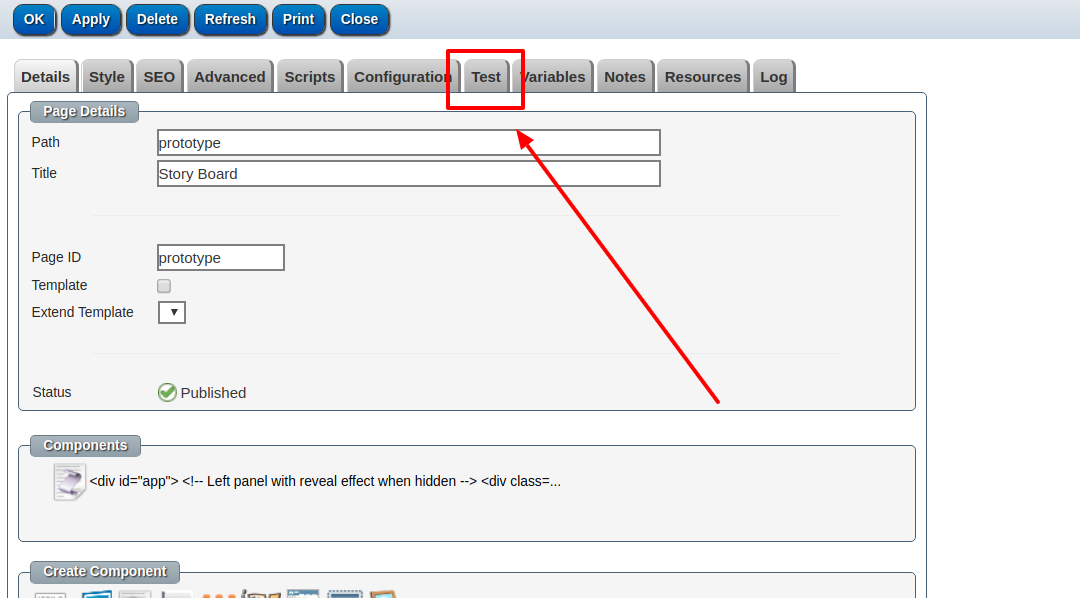
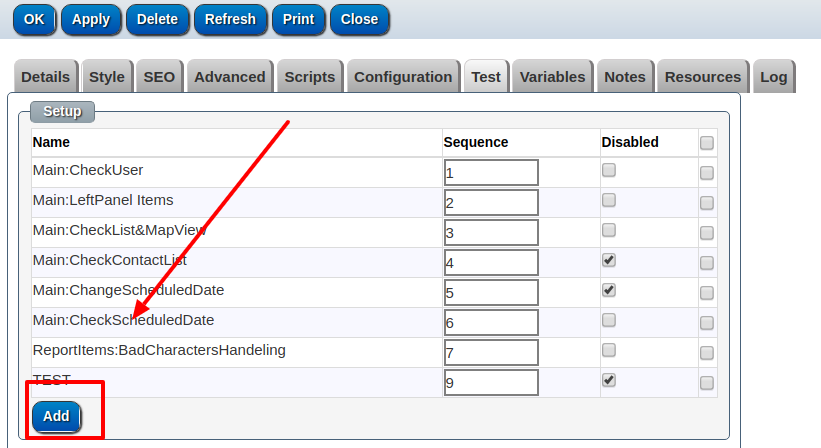
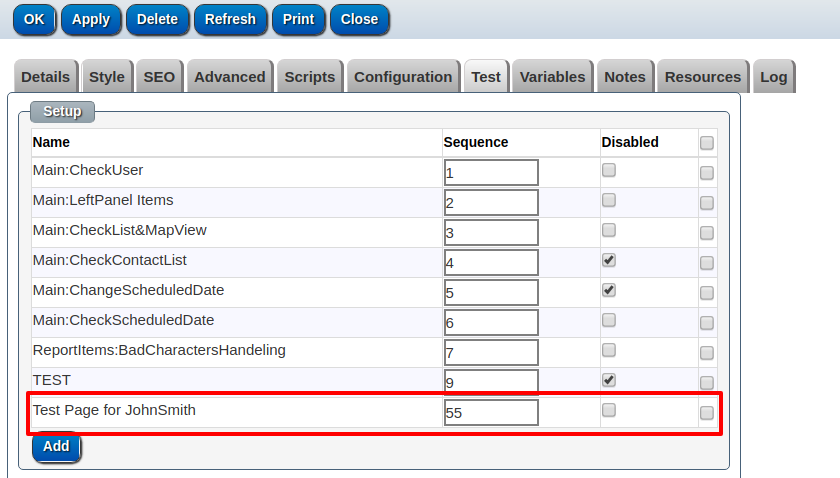
The Test tab is located in the top menu when creating a new CMS website page. Under this tab there is the title 'Setup'. This is where you can create tests. To create a test simply click 'Add' located down the bottom of the screen.
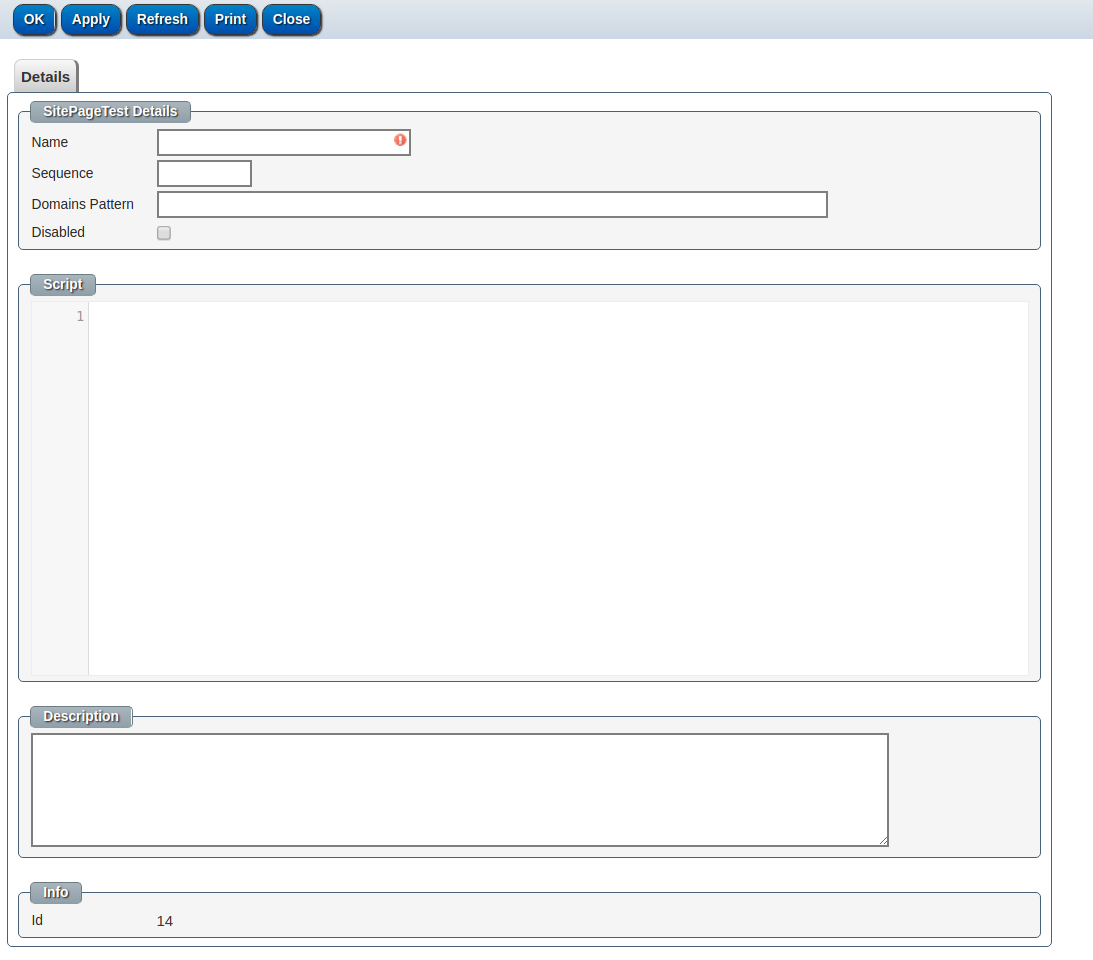
Clicking 'Add' will bring up the following screen....
Creating a Test:
On this page the tester has a few options:
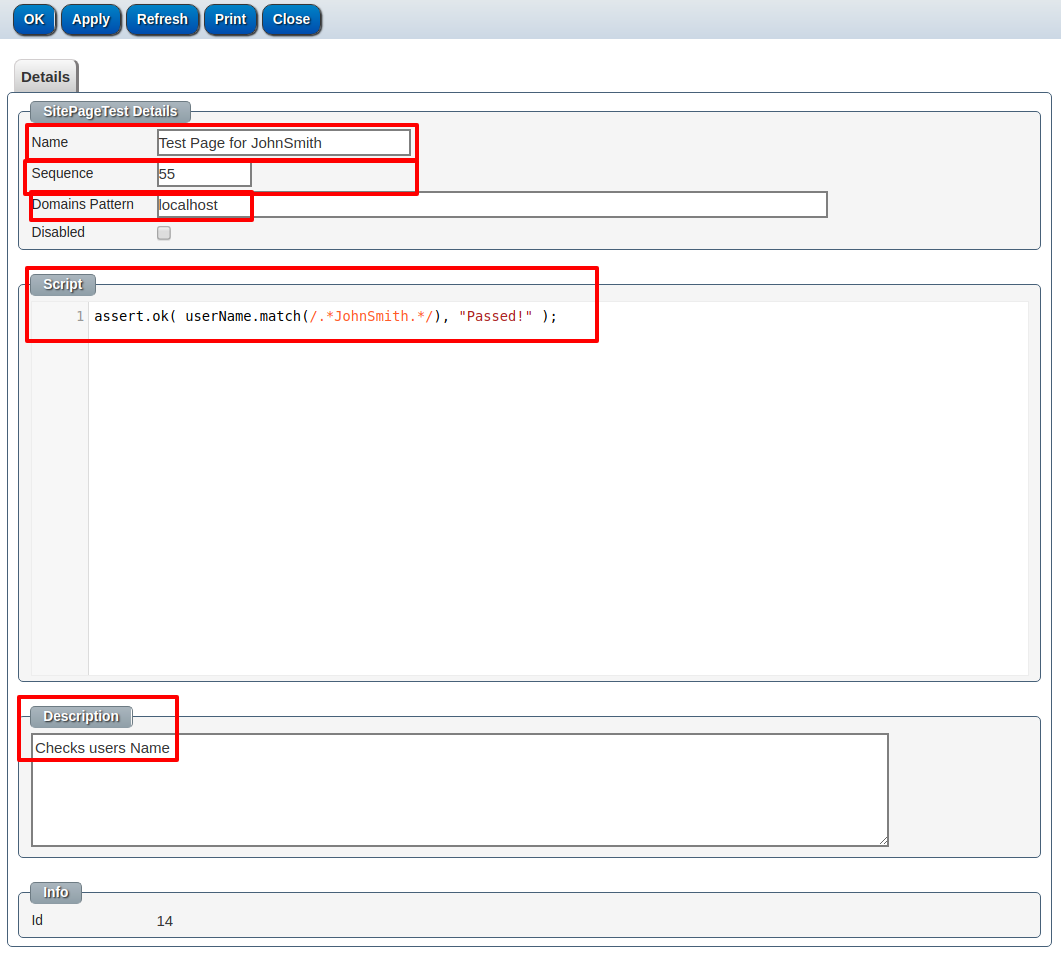
- Name: The name of the tests. Eg: "Test Page for JohnSmith"
- Sequence: The order of when this test is run in comparassion to other tests. Eg: "55"
- Domains Pattern: This limits the condition of when this test is run. Eg: "localhost" (This will only run when the URL contains "Localhost")
- Disabled: When checked this disables the test from running
- Script: Place your validation code here, for the test to pass, the script must contain an assert command to finish..
- Eg: assert.ok( userName.match(/.*JohnSmith.*/), "Passed!" );
- (This makes sure the users name is "JohnSmith")
- Description: Is a quick explanation of what the script does for future reference... Eg: "Checks users Name"
Clicking Ok will bring you back to the 'Test' panel when you will be able to see the list of tests you have created. The test that you created will show on the bottom of the list.
Running Tests:
To run the tests go to the page you wish to run the tests on, go up to the URL bar and look for the line "CMS_MODE=PREVIEW" and change this value to "CMS_MODE=TEST";


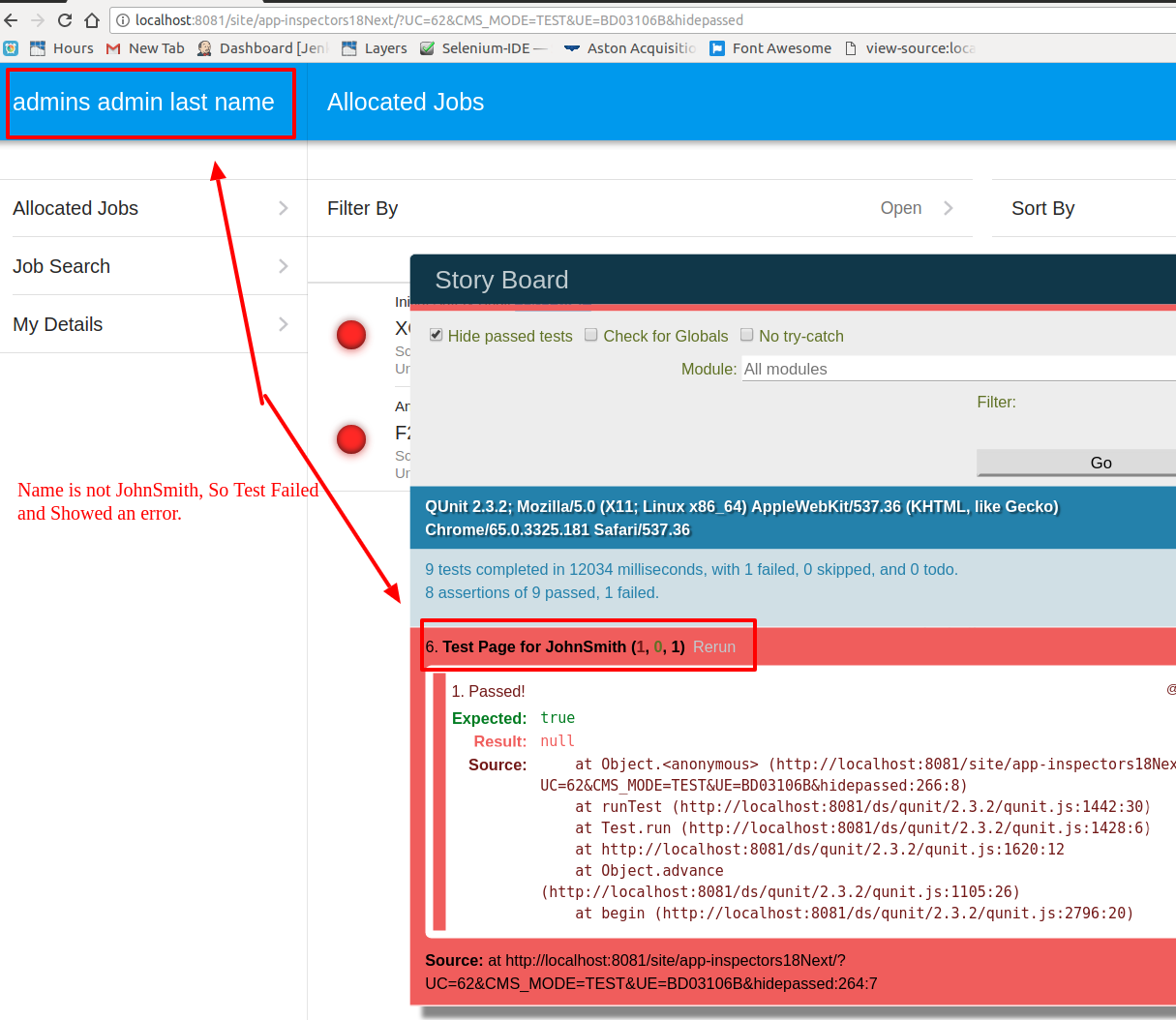
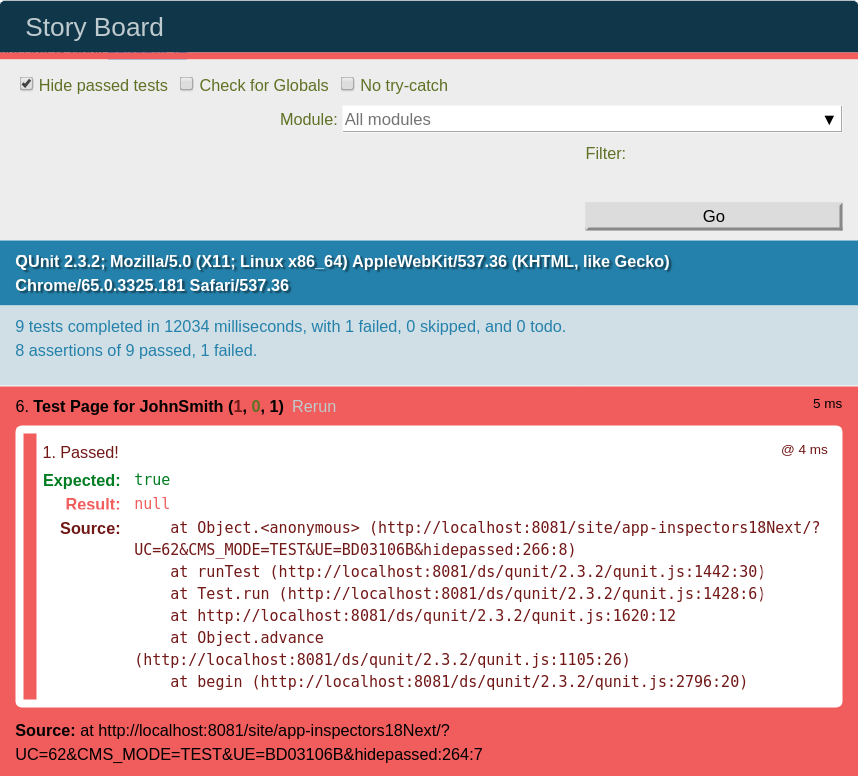
The tests will automatically start running. If a test fails a popup will notify you of the failure so the issue can be addressed.